As Ticketmaster continues to face criticism over high fees and limited transparency, many event organizers and ticket buyers are actively seeking better alternatives. In this article, we’ve rounded up 12 of the best Ticketmaster alternatives, giving you a wide range of platforms to consider. From lower costs to better fan engagement tools, this guide will help you find the right fit for your event needs. Let’s dive into the top Ticketmaster competitors worth your attention this year.
Ticketmaster is one of the largest names in ticketing, trusted by major venues, festivals, and tours worldwide. But for many users, it comes with frustrations. High service fees, limited flexibility, and exclusive ticket deals often leave both organizers and fans looking for other options.
If you're planning events, you don’t have to stick with the status quo. There are numerous ticketing platforms that offer simpler pricing, more control, and enhanced tools for selling and managing tickets.
In this guide, you'll find 12 top alternatives to Ticketmaster. Each one brings something different to the table, whether you are focused on cutting costs, branding your ticketing page, or streamlining the entire event process.
What is TicketMaster?
TicketMaster is one of the world’s largest ticket distribution platforms. It powers ticket sales for concerts, sports, festivals, theater, and more in over 30 countries, selling around 500 million tickets annually.
It operates under Live Nation Entertainment, a powerhouse that reported a record $23 billion in revenue in 2024. Out of this, $3 billion of sales was from TicketMaster alone. Its platform attracts over 1 billion visits yearly, processing multiple ticket transactions every second.
You’ll encounter TicketMaster’s tools in action every time you select seats, manage resale, use dynamic pricing, or explore marketing integrations. Its Verified Fan system was heavily utilized during massive presales, such as Taylor Swift’s and Coldplay’s tours. The Eras Tour alone gathered 3.5 million verified fans for a sale of a few hundred thousand tickets.
Despite its dominance, TicketMaster draws criticism. Users often face high service fees and a lack of transparency. Its market control has triggered antitrust concerns, resulting in a 2024 Department of Justice lawsuit challenging Live Nation’s merger and conduct.
Key features of TicketMaster
End-to-end ticketing management: Ticketmaster enables you to create, price, and manage events all in one platform. You can set ticket types, assign seating, track inventory in real-time, and automate order fulfillment. It supports both general admission and reserved seating setups.
Dynamic pricing with Platinum tickets: Ticketmaster’s dynamic pricing model adjusts prices based on demand, similar to airline ticketing. With Platinum tickets, high-demand seats are priced using real-time data. This helps maximize revenue for artists and organizers.
Verified Fan presales: Designed to reduce bot traffic and scalping, the Verified Fan system uses registration and identity checks to prioritize real fans. This system helps build hype and rewards loyal audiences.
Built-in resale marketplace: Ticketmaster allows fans to resell tickets through its platform, with barcoded tickets reissued to new buyers. You stay in control of the resale process, and fans have a trusted place to buy verified tickets, reducing fraud and confusion.
Advanced marketing and audience tools: With tools like TM1 Marketing and LiveAnalytics, you can segment your audience, launch geo-targeted campaigns, and track performance. You can also integrate with email platforms and social media to expand reach and boost engagement.
Smart queue and fraud protection: During high-traffic sales, Ticketmaster’s Smart Queue manages user flow to prevent crashes. It also utilizes AI and bot detection tools to prevent fake purchases, ensuring that more tickets reach the hands of genuine fans.
What fees will you pay when using TicketMaster to power your events?
As an event organizer, using TicketMaster means you will not pay anything upfront to list your event. Instead, TicketMaster earns revenue by taking a cut from each ticket sold. These fees are typically passed on to the ticket buyer, but you have the option to absorb them if you choose.
Service fees account for most of the cost. These charges are added to the base ticket price and vary depending on the event, venue, and location. On average, TicketMaster’s service fees range between 27% and 30% of the ticket price.
In addition to service fees, there's usually an order processing fee per transaction. While this is a flat charge rather than a percentage, it still affects the overall ticket cost and how it appears to your attendees during checkout. Delivery fees may also apply for physical tickets or will-call options, though mobile ticketing is now the standard for most events.
Drawbacks of using TicketMaster
While TicketMaster offers powerful tools and broad reach, it doesn’t work for every organizer. From high fees to limited control, there are several important downsides to consider before choosing the platform.
High service fees can hurt sales TicketMaster’s service fees often range between 27% and 31% of the ticket price. While these are usually passed on to attendees, they can lead to cart abandonment and damage your event’s reputation.
Limited control over pricing and fees In many cases, the venue and not you set the fee structure. You may not have the ability to adjust service charges or ticket tiers or offer more flexible pricing models that better fit your audience.
Venue exclusivity restricts your options TicketMaster holds exclusive contracts with thousands of venues. If your venue is under one of these agreements, you're locked into using TicketMaster, even if another platform offers better tools or lower costs.
Minimal customization for your brand Ticket sales typically happen within the TicketMaster ecosystem. You can’t fully white-label the experience or host a fully branded checkout on your own website. This limits your control over the customer journey.
Delayed payouts can impact cash flow Depending on your agreement, TicketMaster may not release funds until after the event has ended. This can create financial strain if you need money upfront for marketing, staffing, or vendor payments.
Support isn’t always accessible for smaller events TicketMaster prioritizes larger clients, which means smaller event organizers may face delays or limited support when issues arise. Quick resolutions can be hard to come by if you are not a top-tier partner.
Our evaluation and ranking methodology
Criteria
What we assess
Pricing and value
Transparent pricing, availability of free tiers, and overall value at different scales
Feature set
Core ticketing capabilities, check-in tools, customisation options, and third-party integrations
Ease of use
Onboarding experience, interface clarity, and time to set up a first event
Support
Available support channels, response quality, and documentation
User reviews
Aggregated ratings and feedback from G2, Capterra, and Trustpilot
Video reviews
Hands-on walkthroughs and reviews from YouTube creators
Hands-on testing
Our own experience signing up for demos and using each platform directly
Our recommendations are based on independent research across multiple sources. No platform has paid for placement or ranking in this article.
This article is reviewed and updated every six months to ensure all pricing and feature information remains accurate.
Best TicketMaster alternatives
If TicketMaster isn’t the right fit for your event, you’re not short on options. Several platforms today offer more flexibility, lower fees, and better control over the ticketing experience.
Eventcube
Whova
vFairs
Purplepass
Eventdex
Eventbrite
Ticketbud
Eventzilla
TicketLeap
Tixr
See Tickets
Etix
Let's dive into these alternatives and compare them to find the one that matches your event needs and budget.
Price: Standard Plan - $0/month with a transaction fee of 5%; Premium Plan (Eventcube Pro) - $99/month with a transaction fee of 3% Free Plan: Yes Support: Email and Chat
Best for
Organizers who want full control over branding, instant payouts, and flexible pricing
Pros
+ Lower platform fees (3–5%) + Instant payouts via Stripe + White-label ticketing experience + Custom checkout and branding + Built-in marketing tools + Free built-in ticket scanner with instant QR validation and live sync
Cons
- No conditional workflows to automatically organize ticket buyers into groups - Free plan may load slower during traffic spikes
Integrations
Seats.io, Stripe, MailChimp, and more.
Eventcube is built for organizers who want full control over their ticketing experience. Unlike Ticketmaster, which limits customization and locks you into its marketplace, Eventcube puts your event and your brand at the center. You can launch your own ticket store, embed it directly on your website, and shape the entire purchase journey without outside interference.
With Pro and Enterprise plans, you can fully remove Eventcube’s branding and run ticket sales from your own domain. This level of white-label flexibility helps you maintain a consistent brand experience from the first click to checkout, something Ticketmaster’s templated event pages simply don’t offer.
Ticket sales are connected directly to your Stripe account, so funds are deposited in real time. That means you don’t have to wait until after your event to access revenue. If you’re managing multiple vendors, launching paid ads, or covering up-front production costs, this can significantly ease your cash flow.
You also keep full access to your attendee data. Unlike Ticketmaster, which limits your visibility and may promote other events to your customers, Eventcube ensures you own every contact. This makes it easier to build remarketing campaigns, analyse buying behaviour, and strengthen your audience relationships.
Where Ticketmaster focuses on volume through a centralized marketplace, Eventcube is more organizer-centric. It’s ideal if you don’t want third-party branding interfering with your customer journey. You can sell general admission, timed entry, memberships, and even host virtual events, all in one platform.
Eventcube key features
White-label ticket stores with full brand customization
Instant payouts via Stripe
General admission, seated, or timed-entry ticket options
Custom checkout fields and attendee data capture
Discount codes, group ticketing, and promo tools
Real-time sales analytics and event performance tracking
Membership and subscription support
Built-in virtual event tools for live streaming or video access
Price: On quotation Free Plan: No Support: Email and Phone
Best for
Organizers running hybrid or in-person conferences and expos
Pros
+ Easy-to-use interface + Simple setup with flexible ticketing + Strong attendee engagement features + Instant payouts via Stripe
Cons
- Limited branding customization - Feature set may feel overwhelming for small events - Some performance issues reported on tablets
Integrations
Stripe, Mailchimp, Eventbrite, RegFox, Constant Contact, and more
Whova is an all-in-one event management platform that combines ticketing, registration, mobile apps, and virtual tools into a single system. Unlike Ticketmaster, which focuses on large-scale ticket distribution with strict formatting and limited customization, Whova is designed to put you in charge of the full attendee experience.
With Whova, you can sell multiple ticket types, create invite-only access, offer early bird pricing, and upsell add-ons like meals or workshops. Its form builder lets you collect custom info per ticket type, making it ideal for events that require attendee segmentation. You also get full control over confirmation emails, check-in flows, and payment timing. Funds go straight to your Stripe account, so there is no waiting around after ticket sales.
Where Whova really stands out is engagement. You get tools like interactive agendas, live Q&A sessions, polls, networking boards, and SmartProfiles that enable attendees to connect, schedule meetings, and participate in real-time.
Whova key features
Multiple ticket types
Custom registration forms tied to ticket type
Branded registration pages with automated emails
Mobile app for attendee check-in, badge scanning, and QR code entry
Stripe integration for immediate payouts
Real-time sales dashboard and analytics
Interactive agenda with session selection, reminders, and speaker bios
Live polls, surveys, and Q&A tools
Virtual event tools with webinar and livestream integrations
Price: On quotation Free Plan: No Support: Email and Knowledge Base
Best for
Organizers hosting large-scale virtual, hybrid, or in-person events with complex exhibitor needs
Pros
+ Intuitive registration and website builder + Rich ticket types, tiers, and custom forms + 3D virtual lobby and exhibitor booths + Strong networking tools and analytics + Dedicated support and account management
Cons
- Higher cost for smaller events - Branding options can feel limited - Minor performance glitches, especially in chat functions
Integrations
Stripe, PayPal, HubSpot, Salesforce, ChatGPT, Wordly, and more
vFairs is a robust event management platform designed to handle complex event setups at scale. Unlike TicketMaster, vFairs puts control in your hands with customizable registration flows and detailed data capture. Whether you are hosting a job fair, conference, expo, or hybrid event, you can offer different ticket tiers, track registrations in real-time, and automate communications based on attendee type.
What truly sets vFairs apart is its capability for virtual and hybrid events. You can design 3D lobbies, virtual booths, auditoriums, and networking lounges to replicate the in-person experience. These immersive tools help keep attendees engaged.
You also get a branded mobile app to streamline check-in, badge printing, and on-site management. With over 30,000 events hosted and 100 million attendees served, vFairs is a proven solution for organizers who need flexibility, depth, and full control over the event experience.
vFairs key features
Drag-and-drop event website and registration builder
Conditional logic and custom registration forms
Promo codes, free ticket options, and add-on sales
Price: 2.5% + $0.99 per ticket; 3% credit card processing fee Free Plan: No Support: Email, Phone, Live Chat, and Knowledge Base
Best for
Community theaters, small to mid-sized festivals, or venues that want easy seat selection
Pros
+ Custom seat map builder for assigned seating + Supports on-site sales with full box office hardware integration + Real-time sales data and access control reporting + Excellent customer support with live phone assistance + Embedded ticket widgets for your own website
Cons
- No white-label or fully branded checkout option - Seat map editor can be clunky for complex venues - Lacks native mobile app for attendee-side ticket management
Integrations
MailChimp, Constant Contact, Survey Monkey, WordPress, and more
Purplepass is a full-service ticketing solution built to simplify your event setup. It’s ideal if you are managing seated events, local performances, or multi-day festivals. The platform lets you design custom seat maps, create detailed ticket rules, and control every aspect of your event.
Compared to TicketMaster, Purplepass gives you far more flexibility and transparency. There are no rigid marketplace rules, no mandatory fees passed to your attendees, and no loss of control over branding or customer data.
You can embed ticket widgets directly on your website, set up mobile or on-site box office operations, and access real-time sales and attendance reports. Payouts occur quickly through Stripe or PayPal, allowing you to manage your cash flow without delay.
Purplepass also shines with its support. You receive dedicated onboarding assistance, phone and email support, and a consistently high customer satisfaction score across review platforms.
Purplepass key features
Assigned seating, general admission, and tiered ticket options
Reserved seating with custom seat map builder
Group discounts, promo codes, and timed ticketing
Multi-day and multi-event pass support
Box office support with POS and hardware compatibility
Price: Starter plan - $4,000; Standard plan - $6,000; Premium plan - $12,000 Free Plan: No Support: Email, Phone, and Knowledge Base
Best for
Organizers who need ticketing, AI-powered matchmaking, and comprehensive exhibitor tools
Pros
+ No ticket commission + AI-based attendee matchmaking + Exhibitor floor plan builder + Real-time lead capture + Mobile badge printing and check-in
Cons
- Interface can be overwhelming - Reports export in multiple files - Costs add up with extra features
Integrations
PayPal, Stripe, Salesforce, Zoom, Mailchimp, Twilio, Social Point, and more
Eventdex is a comprehensive event management platform designed to meet the demands of high-volume events. Unlike TicketMaster, which mainly handles ticket sales with limited flexibility, Eventdex gives you control over the entire event lifecycle, from registration to real-time attendee tracking and post-event analytics.
The platform stands out with its AI-powered B2B matchmaking system, which helps you connect attendees, exhibitors, and sponsors based on their interests and profiles. You can manage custom registration forms, set up conditional ticket flows, and capture lead data during the event using QR codes and badge scanners. For expos and trade shows, Eventdex includes a drag-and-drop floor plan tool and integrated lead retrieval features for every exhibitor.
Eventdex also supports hybrid and virtual formats. You can host webinars, live stream sessions, and build virtual booths, all while keeping all engagement data in one place. Its mobile app enables real-time notifications, networking, and attendee interactions, making it easy to manage large crowds and sessions on-site.
Eventdex key features
Multi-tier ticket setup and conditional registration flows
Custom registration forms with attendee segmentation
AI-driven B2B matchmaking and automated meeting scheduling
Interactive exhibitor floor plan builder
Lead retrieval tools with QR scanning and scoring
Kiosk and mobile check-in with badge printing
Virtual booth hosting, live streams, and breakout sessions
Gamification tools
Post-event analytics and CRM export options
Sponsor and exhibitor directory with integrated lead capture
Price: 3.7% + $1.79 per ticket; 2.9% payment processing fee per order Free Plan: Yes Support: Email, Live Chat, and Knowledge Base
Best for
Organizers running small to mid-sized public events who want quick setup and built-in promotion
Pros
+ No fees for free events + Transparent per-ticket pricing + Easy event setup + Mobile check-in app + Built-in email and social tools
Cons
- Limited design customization - Payouts processed after event - Basic reporting features
Integrations
Stripe, Slack, Mailchimp, Salesforce, Marketo, Flodesk, and more
Eventbrite is a go-to platform for organizers who want to quickly get their event online. Unlike TicketMaster, which caters to large-scale entertainment with fixed structures and higher fees, Eventbrite is optimized for flexibility and ease of use. You can create an event in minutes, set up multiple ticket types, and start selling right away.
The platform shines in its ability to help you promote your event. Each listing is automatically added to the Eventbrite marketplace, which hosts over 200 million ticketed events annually, providing your event with additional visibility. You can send branded emails, enable referral sharing, and even sell tickets through Facebook and Instagram.
While customization is limited, and branding is tied to the Eventbrite ecosystem, the platform covers all core ticketing needs in a clean, user-friendly interface.
Eventbrite key features
General admission, tiered, and donation-based tickets
Branded event pages with optional widgets for your site
Price: 2% + $0.99 per ticket; 2.9% + $0.30 payment processing fee per order Free Plan: Yes Support: Email, Phone, and Knowledge Base
Best for
Organizers who need fast payouts and full branding control
Pros
+ Daily and weekly payout options + Easy-to-use mobile check-in app + Branded event pages with video support + Real-time sales tracking
Cons
- No reserved seating support - Limited automation tools - Not ideal for large-scale or multi-day events
Integrations
Salesforce, Zoom, Stripe, PayPal, Single Sign-On, and more
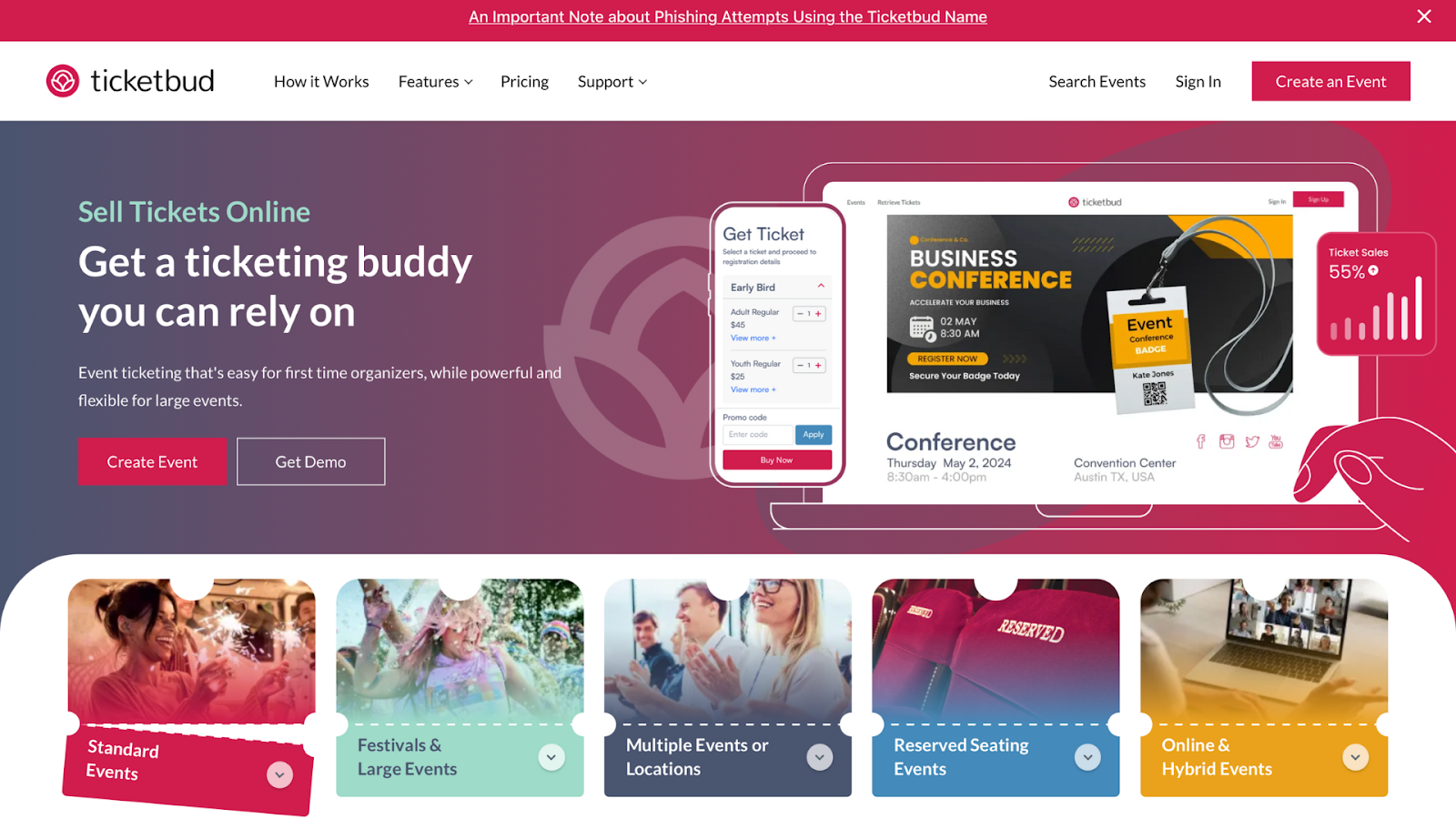
Ticketbud is a flexible, mid-tier ticketing platform designed to give organizers more control over revenue, branding, and timing. Unlike Ticketmaster, which delays payouts and restricts branding, Ticketbud lets you access funds daily or weekly and fully brand your event page.
You can sell general admission, VIP, donation, or comp tickets and layer in discount codes or group pricing. Ticketbud charges a simple, transparent fee with no charge for free events. It also supports custom registration forms, allowing you to collect the exact data you need from attendees upfront.
The platform’s real-time reporting dashboard tracks sales, check-ins, and traffic sources, making it easier to adjust your promotion strategy as you go. The mobile app helps your team scan tickets and check in guests at the door.
Ticketbud key features
Daily, weekly, or post-event payouts
General admission, VIP, donation, and comp ticket types
Group pricing, discount codes, and promo offers
Custom-branded event pages with logos and video embeds
Embeddable ticket widget for your website
Custom registration forms and attendee data collection
Price: Basic plan - $1.50 per registration; Pro plan - 1.9% + $1.50 per registration; Plus plan - 2.9% + $1.50 per registration; Unlimited plan - $4,999 per year Free Plan: No Support: Email, Phone, Live Chat, and Knowledge Base
Best for
Organizers running multi-session or hybrid events who need quick check-in and session tracking
Pros
+ Easy drag-and-drop event builder + Custom ticket types and registration flows + Fast mobile check-in and badge printing + Real-time reporting dashboard + No setup or monthly fees
Cons
- Multi-date setup can be buggy - Learning curve with conditional logic
Integrations
Salesforce, Mailchimp, Google Sheets, HubSpot, and more
Eventzilla is a flexible event management tool built for organizers who want deeper control over registration. Unlike Ticketmaster, which focuses on mass ticketing and fixed-fee structures, Eventzilla offers a pay-as-you-go model with full access to customization tools. You can brand your event page, create custom registration paths, set rules for ticket visibility, and use conditional logic to collect the right data.
The platform supports free, paid, group, and donation-based tickets, along with add-ons and promotional codes. You can also run multi-session events with a built-in agenda and speaker management features. The Eventzilla Organizer app handles on-site check-ins, badge printing, and real-time attendance tracking.
Eventzilla also works well for hybrid formats. You can embed live streams, integrate webinars, and provide virtual exhibitor booths or sponsor showcases. Reports provide real-time metrics on sales, check-ins, and engagement, allowing you to adapt quickly.
Price: 2% + $1 per ticket; 3% credit card processing fee Free Plan: No Support: Email and Phone
Best for
Organizers of seated or timed-entry events who need fast setup, low fees, and easy mobile check-in
Pros
+ Free for events under $5 + Built-in reserved seating tools + Mobile ticketing and check-in + Supports timed-entry ticketing
Cons
- Not ideal for multi-day or multi-track events - UI can feel outdated - Support response is slower than top competitors
Integrations
PayPal, Stripe, Google Analytics 360, Google Pay, Pixpa, and more
TicketLeap is designed for organizers who do not want to deal with the complexity of enterprise platforms. It offers fast event creation, custom-branded pages, and built-in tools for both general admission and reserved seating. Unlike Ticketmaster, which often locks you into its ecosystem with strict payout schedules and high fees, TicketLeap keeps things simple with a flat ticket rate.
You can build custom seat maps using a drag-and-drop editor, manage timed-entry events to control crowd flow, and sell tickets on-site through a mobile box office. The platform also supports embedded ticket widgets, allowing you to sell directly from your own website.
TicketLeap key features
General admission and reserved seating support
Drag-and-drop seat map builder
Timed-entry and recurring event setup
Branded event pages with video, images, and custom text
Price: On quotation Free Plan: No Support: Web form
Best for
Organizers of large-scale events who want advanced ticketing, dynamic pricing, and immersive fan experiences.
Pros
+ Visual, branded checkout with upsell carousels + Built-in payment plans and waitlists + Dynamic pricing to boost revenue + Fan referral rewards + Box office and livestream tools included
Cons
- Slower support reported by some users - No built-in chargeback protection
Integrations
Mailchimp, Stripe, Google Analytics 360, Vimeo, and more
Tixr is built for high-volume events that need more than just basic ticketing. Unlike Ticketmaster, which offers limited control over pricing and presentation, Tixr gives you complete flexibility to design the entire ticketing and selling experience. You can offer dynamic pricing based on demand, create presale waitlists with payment pre-authorization, and build upsell flows.
Tixr’s event commerce platform includes tools for mobile check-in, on-site sales, and digital content streaming. Its branded interface lets you maintain control over how your event is presented, while fan engagement tools, such as referral incentives and rewards, help drive organic growth. Tixr is used by over 400 major venues and promoters, as it scales well and provides organizers with more revenue control than legacy systems.
Tixr key features
Branded checkout with visual product carousels
Dynamic ticket pricing by sales data and dates
Waitlist pre-authorization to reduce cart drop-offs
Built-in payment plans
Mobile box office and on-site scanning
Livestream and video-on-demand ticketing
Ticket packages with merch, access, or hospitality
Price: On quotation Free Plan: No Support: Web form
Best for
Organizers managing high-traffic festivals, exhibitions, or tours who need global reach and payment flexibility
Pros
+ Global distribution network + Payment plan and tiered pricing support + Affiliate tools to boost ticket sales + Fast event setup with self-service tools + Strong on-site scanning and badge printing
Cons
- Customer support varies by region - Higher service fees for some ticket types - Limited branding control on self-service plans
Integrations
Stripe, PayPal, Spotify, YouTube, Meta Pixel, and more
See Tickets is built for scale and flexibility, supporting over 8,000 organizers globally with a mix of self-service tools and managed services. Unlike Ticketmaster, which limits flexibility in pricing, branding, and promotion, See Tickets gives you full control over ticket tiers, timed releases, and payment plans.
You can launch events through a self-serve dashboard or work with their team for large-scale, multi-venue experiences. The platform helps you sell more through affiliate and ambassador programs, while fan-to-fan resale tools help cut scalping and maintain transparent pricing. For in-person events, See Tickets provides scanning apps, badge printers, and point-of-sale (POS) tools to streamline entry and on-site operations.
With millions of subscribers and built-in promotional tools, it also functions as a sales channel, especially in the UK and Europe. However, branding flexibility is more limited unless you're on a higher-tier account.
See Tickets key features
Event listing and checkout builder
Support for general admission, VIP, camping, timed, and seated tickets
Payment plans and automated tiered pricing
Affiliate marketing and ambassador tracking tools
Fan-to-fan resale marketplace
Branded ticket pages and embeddable widgets
Access Control app for scanning and badge printing
Price: On quotation Free Plan: No Support: Web form and Phone
Best for
Organizers of multi-day events who need advanced ticketing and strong reporting
Pros
+ Supports complex ticket types and season passes + Built-in marketing automation + 200+ pre-built analytics reports + Box office and on-site hardware included + Full data ownership and export access
Cons
- Interface can feel outdated - Support response time varies
Integrations
Hive, Givex, Octave POS, Stay22, and more
Where Ticketmaster limits flexibility with locked-down tools and hidden fees, Etix offers full control over ticketing, reporting, and marketing. You can build events with reserved seating, time slots, season passes, or donation tiers. It also supports presale codes, mobile delivery, multi-channel sales, and complete control of your attendee data.
Its marketing tools help you recover lost sales with cart abandonment emails and schedule custom messages for presale or general on-sale windows. With more than 200 built-in reports and support for Google Analytics, Etix gives you deep insights into sales trends and buyer behavior.
On-site, Etix provides mobile scanners, kiosks, credential printers, and POS tools, giving you all the hardware and software to manage admissions, merchandise, and even parking. It's a strong choice if you're managing scale and want the flexibility to own both your brand and your data.
Etix key features
Reserved seating, time-slot tickets, and season passes
General admission and multi-event ticket bundles
Donation support and upsell options
Cart abandonment and presale email automation
Venue/seat map builder and box office tools
Mobile ticketing and QR scanning
Self-serve kiosks and credential/badge printing
POS for merch, concessions, and parking
Full data export and audience ownership
Fraud prevention and ticket validation tools
Make the right choice by exploring these Ticketmaster alternatives thoroughly
Each platform in this list offers something Ticketmaster doesn’t, whether that’s lower fees, faster payouts, branding control, or more flexible ticketing. If you’re running seated shows, hybrid events, or multi-day festivals, you’ll find tools here designed to match your event’s complexity and audience needs.
Take time to compare features, pricing structures, and support levels. Review how each platform handles ticket types, check-ins, and marketing integrations. If you’re running multi-day events or need complex seating maps, your needs will differ from someone organizing single-day general admission shows.
Many of the platforms covered here serve specific niches better than Ticketmaster and often at a lower cost. If you’re looking for full ownership of your ticketing process without platform restrictions or per-ticket fees, Eventcube stands out with its white-label setup and custom-branded storefronts. Try Eventcube and take full control of your event experience from start to finish.
Pricing information in this article is based on publicly available data from each company’s website and was accurate to the best of our knowledge as of January 1, 2026. Please note that pricing may change, and we recommend visiting the official websites for the most current details. The reviews shared here reflect our team’s independent opinions and are intended for informational purposes only. We are not affiliated with any of the companies listed. All trademarks are the property of their respective owners.
by
Wil Troup
Co-founder of Eventcube, delivering white-label ticketing and event solutions for brands like TikTok, Uber, and American Express. Also leads The Mumu Agency, creating digital experiences for global clients.